
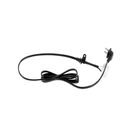
LG EAD64026802 TV Power Cord
Description
Dimensions:
- Weight: 1 lbs
Step1: Turn off the TV and unplug it from the wall outlet.
Step2: Locate the power input port on the back of the TV.
Step3: Firmly insert the cord’s connector into the TV’s power port.
Step4: Plug the other end into a grounded wall outlet.
Step5: Ensure the cable is not bent or pinched.
Step6: Turn on the TV to verify power connection.
Step7: Avoid handling with wet hands for safety.
-
What maintenance is required for the LG EAD64026802 Power Cord?
Inspect the power cord regularly for cuts, fraying, or exposed wires to ensure safe operation. Keep the cord free from tight bends or heavy pressure to prevent internal damage. Clean the connectors gently with a dry cloth to maintain accurate contact. Proper care support avoid electrical hazards.
-
What are common issues with the LG EAD64026802 Power Cord?
- Fraying or exposed wiring near plugs.
- Loose or intermittent connection to the TV.
- Power interruptions or no power delivery.
- Connector wear causing poor contact.
- Damage from bending, pinching, or overheating.
Customer Reviews
Write a Review
-
Secure Connection
Replacement cord fits perfectly into the LG socket.
We strive to provide our customers with a hassle-free and efficient shopping experience. Our shipping policy ensures the timely delivery of your orders and complete customer satisfaction. View More
We are committed to ensuring your complete satisfaction with every purchase. We understand that circumstances may arise where you must return a product or request a refund. If for any reason you are not satisfied, you may return the item(s) according to the terms outlined below. View More
This Payment Policy outlines the terms and conditions governing all payments made for products purchased through our website. By making a purchase, you agree to be bound by this Payment Policy. View More